Safety Rules in Electronics and Repair Labs
11 views
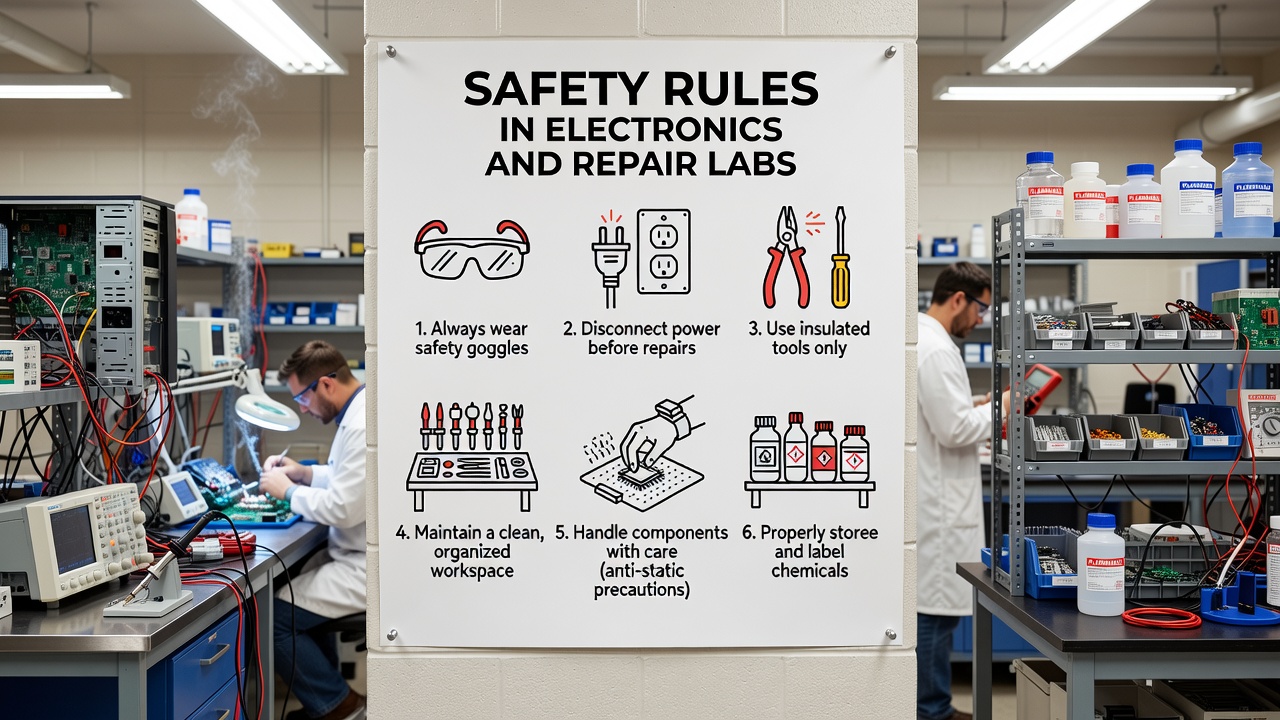
Week 2: Safety Rules in Electronics & Repair Labs
Protecting the Technician and the Technology
1. Electrical Safety: Preventing Shocks
Electricity is invisible and potentially lethal. Proper isolation is the first step in any repair.
- The Isolation Rule: Completely power off and physically unplug devices before opening. Never rely solely on a "soft" power button.
- Grip the Plug: Always pull from the
molded plug head. Yanking the cord damages internal copper strands, creating fire hazards. - Capacitor Awareness: Large capacitors in Power Supplies (PSUs) act as batteries. They can hold a 400V charge long after the plug is pulled. Wait 5-10 minutes for natural discharge or use a discharge tool.
- Dry Zone Policy: Keep all liquids away. A single spill can create a conductive path that destroys the device and shocks you.
Visual Guide: The Capacitor Hazard
[!] Inside a PSU, those cylinder-shaped components are like loaded springs. Even when "off," touching the solder points underneath them can result in a painful or lethal discharge.
[!] Inside a PSU, those cylinder-shaped components are like loaded springs. Even when "off," touching the solder points underneath them can result in a painful or lethal discharge.
2. Electrostatic Discharge (ESD) Precautions
ESD is the "silent killer." You can destroy a $500 CPU with a spark so small you can't even feel it.
- What is ESD? It is the sudden flow of static electricity between two objects. Your body builds up thousands of volts just by walking across a floor.
- Wrist Straps: Wear an anti-static wrist strap with the metal plate touching your skin. Clip the other end to a grounded metal chassis.
- ESD Mats: Perform all work on a dissipative mat. This ensures your tools, your hands, and the components stay at the same electrical potential.
- Shielding Bags: Use Silver/Grey Faraday bags for storage. Pink plastic bags only prevent static buildup; they don't block external charges.
Visual Guide: The Grounding Chain
[Technician] → [Wrist Strap] → [Grounding Wire] → [Workstation Ground]
This path allows static to flow safely to the Earth instead of through a microchip.
[Technician] → [Wrist Strap] → [Grounding Wire] → [Workstation Ground]
This path allows static to flow safely to the Earth instead of through a microchip.
3. Fire Safety & Emergency Response
Electrical fires cannot be treated like wood or paper fires. Using the wrong method can make the situation worse.
- Extinguisher Types: Use only Class C (CO2 or Dry Chemical) extinguishers. NEVER use water on an electrical fire; water conducts electricity!
- Lithium Battery Care: If a battery is swollen or "pillowed," stop work immediately. Do not puncture it, as it may cause a chemical fire (Thermal Runaway).
- Cable Management: Avoid "Daisy Chaining" (plugging power strips into other strips). This causes overheating and is a primary cause of lab fires.
The P.A.S.S. Method:
1. Pull the pin.
2. Aim at the base of the fire.
3. Squeeze the handle.
4. Sweep side-to-side.
1. Pull the pin.
2. Aim at the base of the fire.
3. Squeeze the handle.
4. Sweep side-to-side.
4. Personal Safety & Tool Handling
Physical precision prevents injury and prevents damage to expensive hardware.
- Eye Protection (PPE): Safety glasses are mandatory when soldering or clipping wires. Flying solder or wire snips can cause permanent eye damage.
- Soldering Discipline: Irons reach 350°C+. Always return the iron to its weighted stand. Never leave it unattended.
- Fume Extraction: Soldering flux produces toxic smoke. Ensure the room is well-ventilated or use a carbon-filter fume extractor.
- Precision Tools: Use the correct screwdriver size (e.g., PH0 vs PH1). Stripping a screw head can ruin an entire repair job.
Visual Guide: Iron Safety
[Hot Iron] → [Metal Stand] → [Wet Sponge/Brass Cleaner]
Never "flick" molten solder off the tip; clean it safely on the sponge to avoid burns.
[Hot Iron] → [Metal Stand] → [Wet Sponge/Brass Cleaner]
Never "flick" molten solder off the tip; clean it safely on the sponge to avoid burns.
Test yourself on Computer Hardware And GSM Repaire
Basic Computer and Phone Troubleshooting Techniques Practice Test
50 questions
15 min
SSS1
Start quiz
Track your reading & take quizzes
Create free account